

Uizard is a web-based design tool that turns text prompts, screenshots and hand-drawn sketches into editable UI mockups and prototypes. You can also start from a blank canvas and use its drag-and-drop editor, then share the result with your team for feedback.
The product is aimed at people who need to show a product idea without deep design skills, including product managers, founders, marketers and consultants, as well as designers who want to iterate quickly. The company says 25,000+ teams around the world use it.
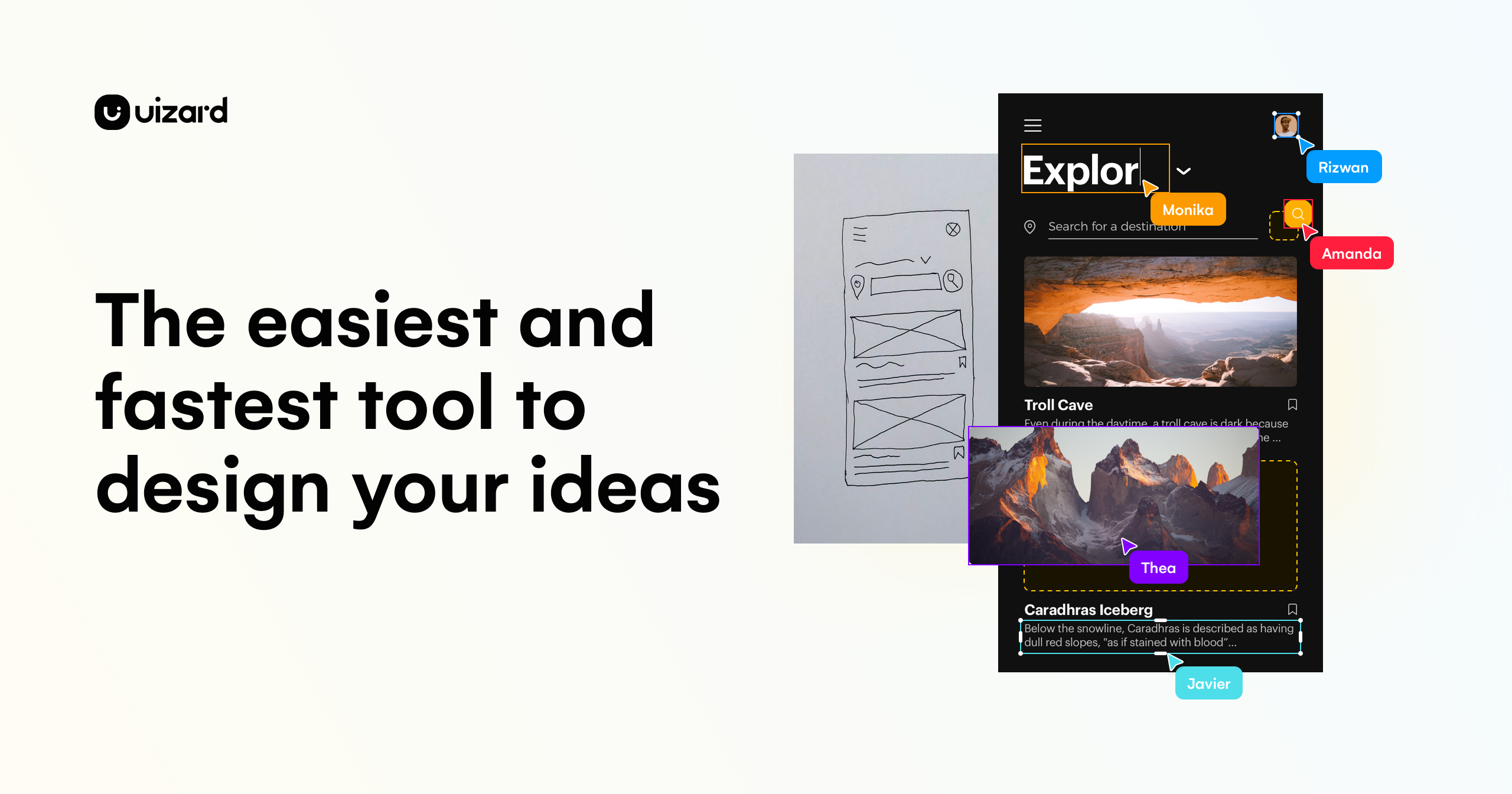 uizard.io · open full screenshot
- Starts at
- $12 / month
- Free plan
- Yes
- Platforms
- web
- Category
- AI Graphic Design
What Uizard does
Autodesigner 2.0
Describe what you want in plain text and Uizard generates multi-screen, editable prototypes, plus new screens and themes for an existing project. You can select any component, describe the change you want, and let Autodesigner apply it.
Screenshot Scanner
Upload a screenshot of an existing interface and Uizard converts it into an editable mockup, so you can rework someone else's layout or rebuild a flow.
Wireframe Scanner
Photograph a hand-drawn wireframe sketch and the tool digitizes it into a design you can edit on screen.
Drag-and-drop editor
Beyond the AI features, Uizard has a standard editor where you place and adjust components by hand, and switch between low and high fidelity as the design develops.
Real-time collaboration
Teammates work in the same project at once, and every plan includes unlimited free viewers and commenters so stakeholders can review without a paid seat.
Developer handoff
Finished designs can be shared as interactive prototypes or handed to developers as React or CSS code, a feature listed on the Pro plan and above.
How to use Uizard
- 1Sign up for a free account in the browser; no install is needed.
- 2Start a project from a text prompt in Autodesigner, a template, a screenshot, a sketch, or a blank canvas.
- 3Pick the device and style, generate the design, then edit components in the drag-and-drop editor.
- 4Invite teammates and clients as viewers or commenters to review and leave feedback.
- 5Share the design as an interactive prototype, or export React or CSS code on a paid plan.
Popular for
Product managers and product teams
Mock up a feature or flow to show the team and stakeholders, without waiting on a designer or learning a full design tool.
Designers and UX professionals
Test several directions quickly, then bring stakeholders into the file to comment and iterate in real time.
Startup founders
Turn a product concept into a clickable prototype that can be shown to early users, advisors or investors.
Consultants and agencies
Produce client-ready mockups and interactive prototypes at short notice, and keep clients involved as commenters.
Uizard pricing
Freemium- There is a free plan at $0 with 3 AI generations per month, the Autodesigner 1.5 engine, 2 projects and 10 templates.
- Pro is $12 per month billed annually (the page says this saves 40%) and includes 500 AI generations per month, Autodesigner 2.0, developer handoff in React and CSS, up to 100 projects, private projects and all templates.
- Business is $39 per month billed annually and adds 5,000 AI generations per month, faster AI generation, a custom brand kit, unlimited projects and priority support.
- Enterprise is a custom quote through sales, billed annually, with unlimited AI generations, unlimited teams, design system setup and onboarding support.
Pros
- A free plan lets you try the AI generation and editor before paying.
- Unlimited free viewers and commenters on every plan, so review does not need extra seats.
- Several ways to start a design: text prompt, screenshot, hand-drawn sketch or template.
- React and CSS handoff on Pro and above saves a separate conversion step.
- Runs in the browser with real-time collaboration, so nothing has to be installed.
Cons
- Web only; there is no desktop app.
- The free plan is capped at 3 AI generations per month and 2 projects.
- AI generations are limited on paid plans too: 500 per month on Pro and 5,000 on Business.
- The Pro and Business prices shown are billed annually; the page does not list a monthly-billing rate.
Uizard FAQ
Is Uizard free?
Yes. The free plan costs $0 and includes 3 AI generations per month, 2 projects and 10 templates. Paid plans start at $12 per month for Pro, billed annually.
What is Uizard used for?
It is used to create UI mockups and interactive prototypes for mobile apps, websites, web apps and tablet apps, either from a text prompt or by editing by hand.
Do I need design experience to use it?
No. Uizard is built so that non-designers can contribute, and the AI generates an editable starting design from a written description.
Can I turn a screenshot or a sketch into a design?
Yes. The Screenshot Scanner converts screenshots into editable mockups, and the Wireframe Scanner digitizes hand-drawn wireframe sketches.
Can I get code out of Uizard?
Developer handoff in React and CSS is included from the Pro plan upward; the free plan does not list it.
Does Uizard have a desktop app?
No. It runs in the web browser, which is the only platform listed.
Alternatives in AI Graphic Design


Written from uizard.iouizard.io/pricing/uizard.io/product/uizard.io/about/uizard.io/solutions/· reviewed by a person · updated Nov 4, 2026