

Napkin AI is a text-to-visual tool that reads a block of text you paste or import and generates diagrams, mind maps, flowcharts and charts from it, which you can then edit and export.
Instead of writing prompts, you start from writing you already have — a doc, a slide outline, a report — and pick from the visuals the tool proposes. The company says the aim is to bring visuals into conversations where there are none today, for people who would not normally make diagrams themselves.
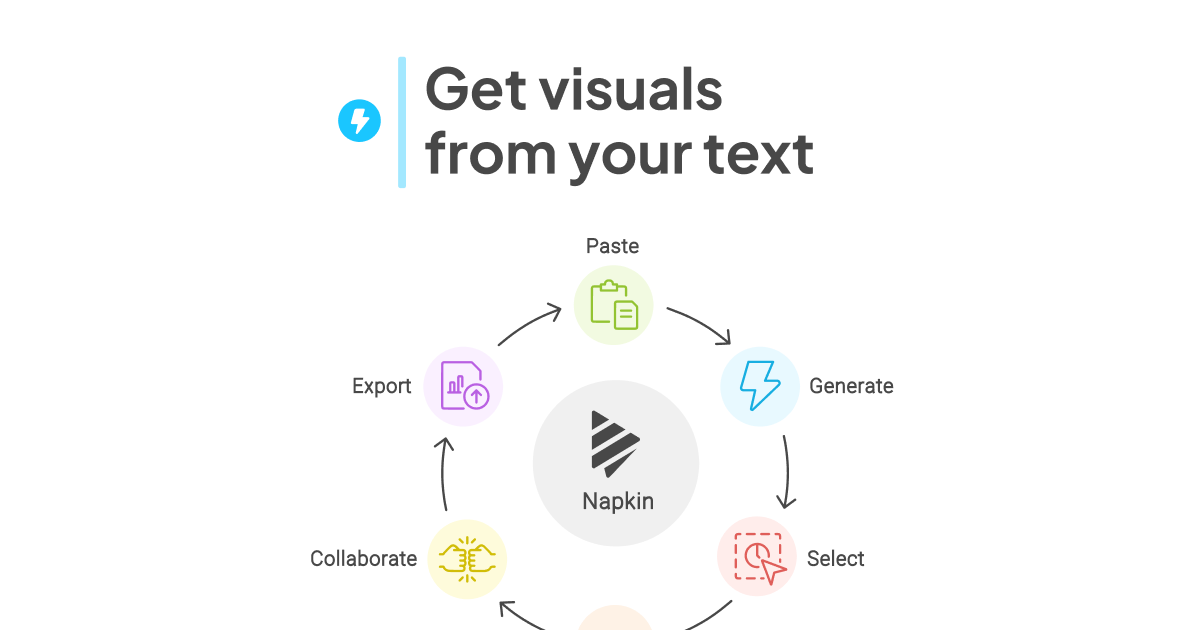 napkin.ai · open full screenshot
- Starts at
- $9 / month
- Free plan
- Yes
- API
- Yes
- Category
- AI Graphic Design
What Napkin AI does
Visuals generated from your text
You paste or import text and click to generate; Napkin proposes several visuals and you choose the one that matches your idea. No prompt writing is involved.
Several diagram types
The tool covers mind maps for structured ideas, flowcharts for processes, and data charts built from your data or text.
Fully editable output
Nothing is locked: you can take a visual apart, reshape individual elements and set every color to match your brand or mood.
Slides (beta)
A beta feature turns your ideas into presentation-ready decks alongside the standalone visuals.
Export to common formats
Visuals can be exported as .ppt, .png, .pdf or .svg for use in decks, docs and other content.
API access
A public API lets you automate visual generation inside your own workflow at scale.
How to use Napkin AI
- 1Paste your text or import a file (PPT, DOC, PDF, HTML, MD).
- 2Click to generate and review the visuals Napkin proposes for that text.
- 3Pick the one that best expresses your idea.
- 4Edit colors, elements and layout until it fits your brand.
- 5Export as .ppt, .png, .pdf or .svg, or use the API to generate at scale.
Popular for
Presentations
Build infographics and diagrams for slides without drawing them by hand, then export as .ppt.
Docs and blog posts
Add a diagram or chart to written content so readers get a visual summary of the argument.
Social media
Produce a single shareable visual from a piece of text to accompany a post.
Teaching and training
Turn explanatory text into mind maps and flowcharts that make a concept easier to follow.
Napkin AI pricing
Freemium- Napkin AI is freemium.
- Free Forever is $0 and includes 500 AI credits per week.
- Plus is $9 per person / month and Pro is $22 per person / month — both are monthly prices, and paying yearly saves 25% compared with monthly billing.
- Pro adds optional credit top ups, and an Enterprise plan is available on request.
Pros
- You start from text you already wrote rather than from prompts.
- The free plan includes unlimited visual editing and unlimited PNG and PDF export.
- Every element of a generated visual can be reshaped and recolored.
- Paid plans include team management and billing.
- A public API lets you generate visuals programmatically.
Cons
- Credits are charged at roughly one per word selected for generation, so long passages use up an allowance quickly.
- Visuals on the free plan carry Napkin branding.
- Slides is still in beta.
- Paid plans have monthly credit caps rather than unlimited generation.
Napkin AI FAQ
Is Napkin AI free?
Yes. There is a Free Forever plan at $0 that gives you 500 AI credits per week, unlimited visual editing and unlimited PNG and PDF export.
What are AI credits?
Credits measure how much generation you use. Napkin charges approximately one credit per word selected for generation, and notes this may change for more complex outputs or advanced features.
What can I export from Napkin AI?
Visuals can be exported as .ppt, .png, .pdf or .svg. PPT and SVG export are part of the paid plans.
Can I add my company branding?
Yes. Brand colors and fonts can be set in Brand Studio, and the Pro plan adds unlimited custom branding and font uploads.
Does Napkin AI have an API?
Yes, there is a public API for automating visual generation directly in your workflow.
Is there a discount for annual billing?
Yes, choosing an annual plan saves 25% compared with paying monthly.
Alternatives in AI Graphic Design


Written from napkin.ainapkin.ai/pricing/napkin.ai/about-us/· reviewed by a person · updated Nov 2, 2026