

Transync AI is a real-time translation tool that listens to speech in meetings and calls and shows translated subtitles as people talk. It supports 60 languages, including Chinese, English, Japanese, Korean, German, French, Russian, Italian and Spanish.
The company says its end-to-end AI speech model produces near-zero-latency dual-screen output. The product is built for live spoken conversations rather than written translation.
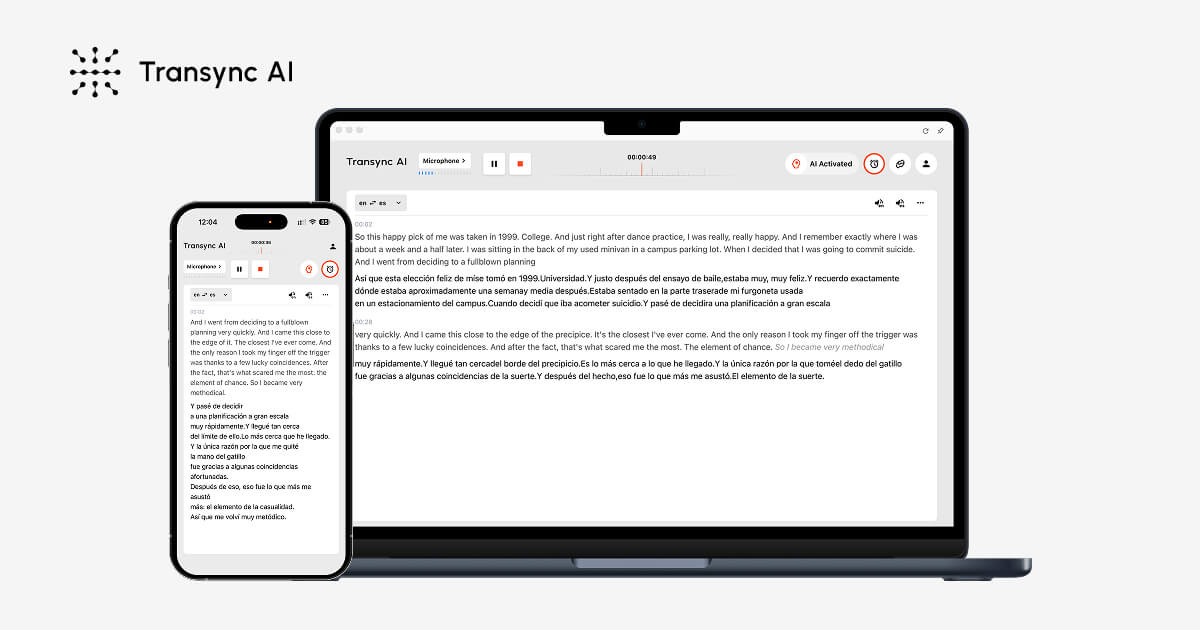 transyncai.com · open full screenshot
- Pricing
- Pricing unknown
- Free trial
- Yes
- Integrations
- Zoom, Google Meet, WhatsApp
- Platforms
- mac, windows, ios, android, web
- Category
- AI Translator
What Transync AI does
Real-time multilingual subtitles
Transync AI uses low-latency speech recognition and automatic language detection to show split-screen subtitles during a conversation. Both sides of the conversation can be translated in real time.
AI voice playback and voice clone
The app can read translated content aloud with natural male and female voices, using streaming voice output. Playback is interruptible, so you can stop it during meetings, calls or in-person conversations.
AI meeting notes
Transync AI turns conversations into clear meeting notes, so you have a written record of what was discussed.
AI speaker separation
The app keeps track of who said what, which helps when several people speak in a multilingual meeting.
Presentation mode and floating subtitles
Presentation mode lets you share live subtitles on a larger screen, while picture-in-picture floating subtitles stay above other windows.
AI Assistant keywords and context
You can add keywords and context to the AI Assistant for better translations of names, products or technical terms.
How to use Transync AI
- 1Install the app on Mac, Windows, iOS or Android, or open the web version.
- 2Start a session and let Transync AI listen to the meeting or call audio.
- 3Use the on-screen subtitles or voice playback to follow the conversation.
- 4Add keywords and context in the AI Assistant if the conversation includes names, products or technical terms.
Popular for
International sales and supplier meetings
Teams use it to discuss requirements across languages and keep a clear record of the conversation.
Lectures and webinars
Students and attendees can follow classes or live events across languages and review the key points afterward.
In-person meetings
People who meet face to face can use it to communicate across languages in the same room.
Gaming livestreams
Viewers can follow gaming livestreams in their own language, and streamers can broadcast translated commentary and bilingual captions.
Pros
- Works with Zoom, Google Meet and WhatsApp without plug-ins.
- Runs on Mac, Windows, iOS, Android and web, with data synced across devices.
- The site lists GDPR, ISO 27001 and HIPAA compliance.
Cons
- No free plan is listed; the site offers a free trial.
- No Linux app is listed.
- The sources do not describe a text or document translation mode.
- The sources do not say which languages or voices are available for voice clone.
Transync AI FAQ
Is Transync AI free?
No free plan is listed in the sources. A free trial is available.
What is Transync AI used for?
It is used to translate spoken conversations in meetings and calls in real time, and to produce meeting notes.
Which meeting platforms does Transync AI work with?
It works with Zoom, Google Meet and WhatsApp, and the site says no plug-ins are required.
How many languages does Transync AI support?
It supports 60 languages, including Chinese, English, Japanese, Korean, German, French, Russian, Italian and Spanish.
Does Transync AI take meeting notes?
Yes. It turns conversations into clear meeting notes and can separate speakers so the record shows who said what.
Is Transync AI secure?
The site lists GDPR, ISO 27001 and HIPAA compliance.
Alternatives in AI Translator

Written from transyncai.comtransyncai.com/pricing/transyncai.com/tools/transyncai.com/use-cases/transyncai.com/docs/quickstart-desktop/· reviewed by a person · updated Oct 31, 2026