

SubtitleBot
Translates subtitle files into 100+ languages while keeping timing intact
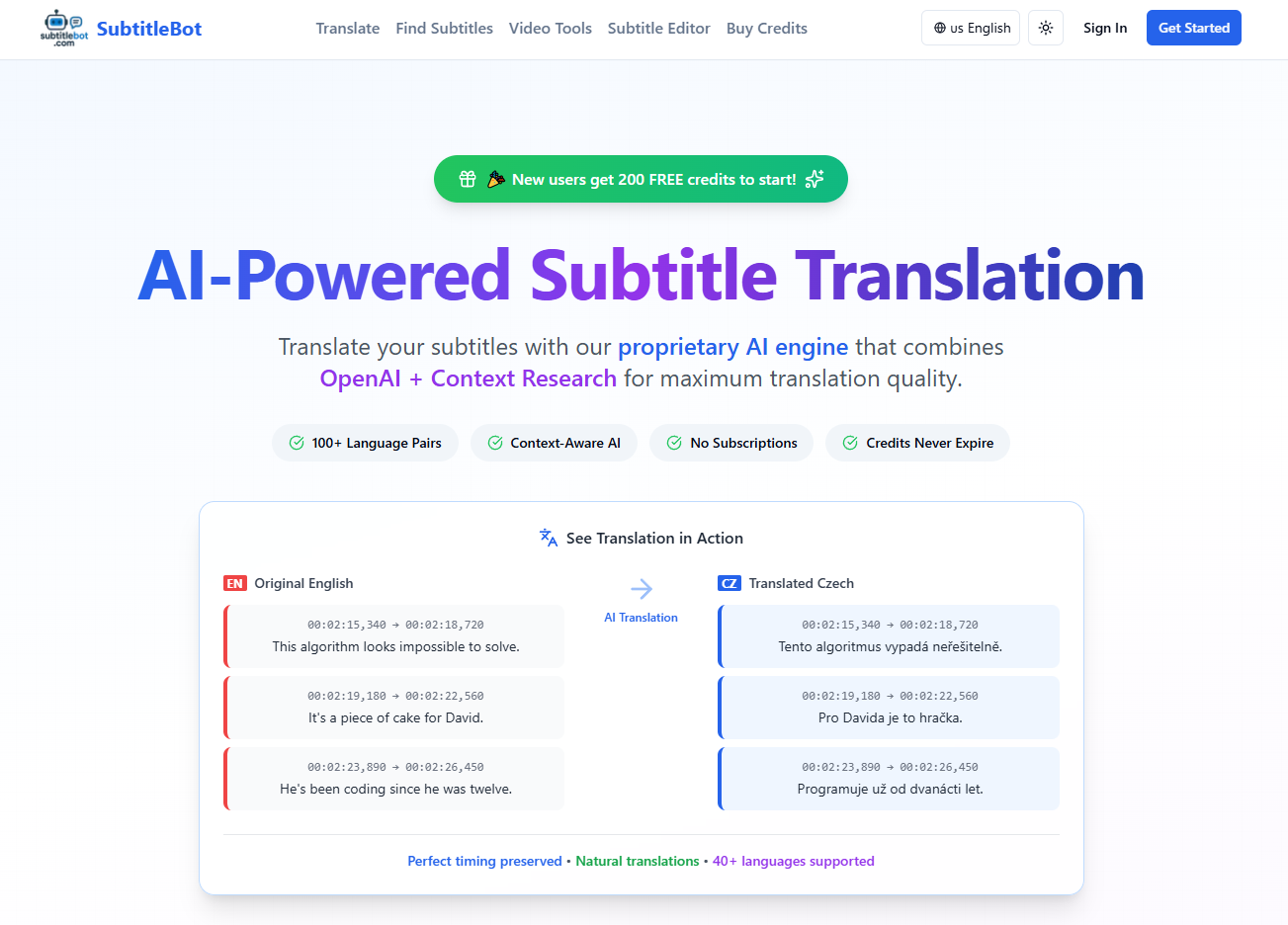
SubtitleBot is a web tool that translates subtitle files into more than 100 language pairs with AI while preserving the original timestamps. It is aimed at subtitle work rather than general text translation: you upload a subtitle file, pick a quality level, and download the translated file.
The engine combines Google Gemini with a context-research step that looks at dialogue flow, character relationships and scene dynamics, and offers two models: Gemini Flash for faster, lower-cost work or Gemini Pro for higher quality. The company says the output reads more naturally than literal machine translation, and it builds the product from Prague around practical subtitle workflows.
 subtitlebot.com · open full screenshot
- Starts at
- $5 / one-time
- Free plan
- Yes
- Integrations
- Google Gemini, Stripe, OpenNode
- Platforms
- web
- Category
- AI Translator
What SubtitleBot does
Two Gemini models
You choose between Gemini Flash for standard quality and Gemini Pro for premium quality on each job. The model you pick determines how many credits the translation uses.
Context research step
Before translating, the tool analyses the dialogue context, character relationships and scene dynamics so lines are not translated in isolation. The site shows an example where a flat line becomes a more natural spoken one.
Seven subtitle formats
Accepts SRT, VTT, ASS, SSA, SUB, SBV and TXT files, with automatic format detection, UTF-8 and legacy encoding support, and a 10MB file limit.
Batch processing
You can upload several subtitle files at once and translate them in one run instead of starting each file separately.
Subtitle overlay window
A popup subtitle window stays above other windows, so subtitles display over Netflix, YouTube or any streaming service without a browser extension. Font, size, colours, background, shadow and position are adjustable, with offset and speed controls for sync.
Free browser subtitle tools
Separate utilities for shifting timing, converting frame rate between 23.976, 24 and 25 FPS, validating SRT and changing formats run locally in your browser.
How to use SubtitleBot
- 1Create a free account and upload a subtitle file in SRT, VTT, ASS, SSA, SUB, SBV or TXT.
- 2Choose standard (Gemini Flash) or premium (Gemini Pro) translation quality.
- 3Let the tool translate the file and keep the original timestamps in place.
- 4Review the output, adjust timing or format with the browser tools if needed, then download the translated file.
- 5Enable the overlay window if you want to read subtitles over a video player or streaming service.
Popular for
Creators localising video
YouTubers and video producers can translate an existing subtitle file into another language without rebuilding the timing by hand.
Fixing out-of-sync subtitles
If a downloaded subtitle file drifts or is offset against your copy of a film, the browser tools let you shift timing or correct a frame-rate mismatch.
Watching with subtitles on streaming sites
Viewers use the overlay window when a streaming service cannot load an external subtitle file.
Matching subtitles to a release
The published guides walk through matching a subtitle file by release group, frame rate and runtime, and loading it in VLC, Plex or Kodi.
SubtitleBot pricing
Freemium- SubtitleBot is freemium.
- Your first complete subtitle file is free in either quality and needs no payment card; after that, translations use credits bought as a one-time purchase rather than a subscription.
- The Starter Pack costs $5 as a one-time payment, and purchased credits do not expire.
- Card payments run through Stripe and Bitcoin Lightning payments through OpenNode.
Pros
- The first complete subtitle file is translated free at either quality level, with no card required.
- No subscription: you buy credits once and they do not expire.
- You pick the model per job, so simple files can use the cheaper standard quality and important ones the premium model.
- Timing, frame-rate and format fixes are available as free tools that process files in your browser.
Cons
- Beyond the free first file, every translation is metered in credits, so heavy use means repeat purchases.
- It runs in a web browser only; no desktop or mobile app is listed.
- The overlay works as a popup window, so it needs a browser window kept above the video you are watching, and it is separate from the translation step.
- Credits are spent per lines processed, meaning long films consume noticeably more than short clips.
SubtitleBot FAQ
Is SubtitleBot free?
Yes, you can translate your first complete subtitle file free in either quality without entering a card. After that, translations are paid for with credits.
How much does SubtitleBot cost?
The Starter Pack is $5 as a one-time purchase, and credits do not expire. There is no subscription.
What subtitle formats can I upload?
SRT, VTT, ASS, SSA, SUB, SBV and TXT, up to 10MB per file, with automatic format detection and support for both UTF-8 and legacy encodings.
Do my credits expire?
No. SubtitleBot states that purchased credits never expire and are deducted according to the lines actually processed.
Which languages are supported?
More than 100 languages and language pairs, including all major world languages.
Can I use it with Netflix or YouTube?
Yes. The subtitle overlay window sits on top of other windows and works with any video player or streaming service, without installing a browser extension.
Alternatives in AI Translator

Written from subtitlebot.comsubtitlebot.com/pricingsubtitlebot.com/aboutsubtitlebot.com/guides· reviewed by a person · updated Oct 31, 2026