

ResLeap is a web-based AI image upscaler that enlarges images up to 8x and produces output at up to 10K resolution (10240px). It also sharpens and restores detail in existing photos rather than only making them bigger, with dedicated modes for portraits, anime artwork and old or faded photos.
It runs on a credit system: you spend credits to run an enhancement, and the free plan includes 15 credits per month. Paid tiers raise the monthly credit allowance, and every plan lists the same maximum 10K output resolution, no watermark and batch processing.
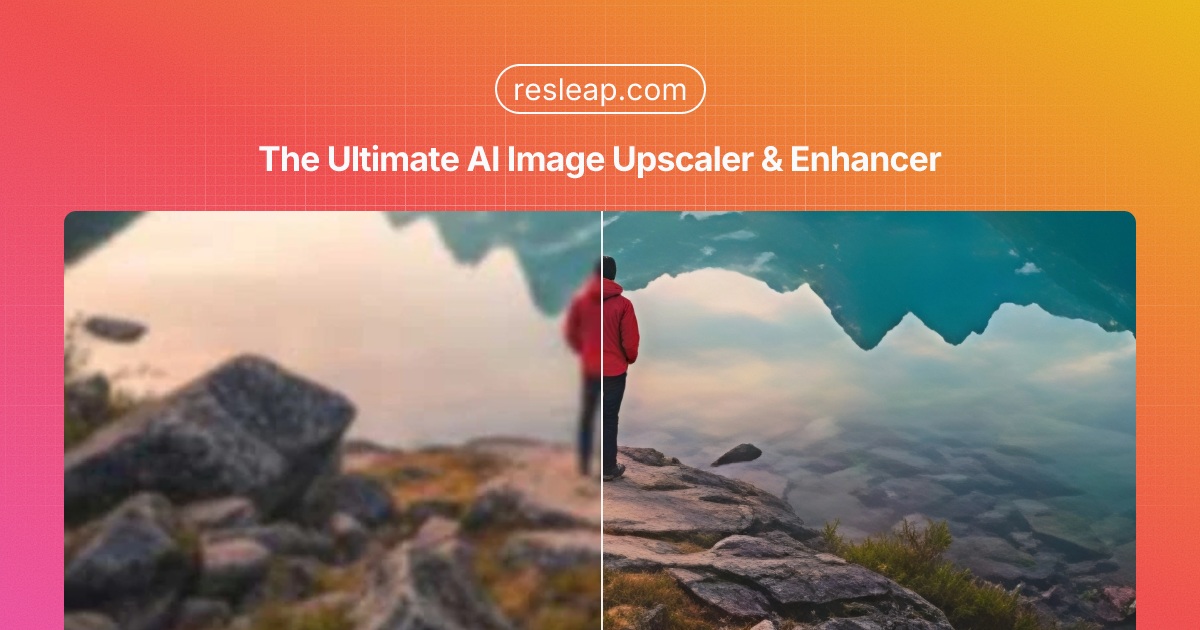 resleap.com · open full screenshot
- Starts at
- $49 / year
- Free plan
- Yes
- Platforms
- web
- Category
- AI Image Upscaler
What ResLeap does
8x upscaling
Enlarges an image up to eight times its original size while keeping edges sharp and details natural. The output is aimed at print, social and web use.
10K output resolution
Images can be rendered at up to 10240px, which the site describes as a 34-inch print at 300 DPI. That makes the tool usable for posters and framed wall art, not just screen graphics.
Detail Revealer
A mode focused on recovering fine texture and hidden detail in low-quality source images. It is meant to bring out surface detail rather than smooth it away.
Portrait Perfection
Sharpens facial features, unblurs faces and recovers skin texture in low-resolution portraits. The site presents it as a one-step fix for blurry people photos.
Photo Restoration
Brings back faded or damaged family photos by reviving colour and detail. Useful when the only copy of a picture is an old, soft scan.
Anime Upscale
A separate mode for anime images that restores line art and character detail and keeps colours vivid. It avoids the smudging that general upscalers can cause on flat, drawn artwork.
How to use ResLeap
- 1Sign up for a free account, which starts you with 15 credits per month.
- 2Upload the image you want to enlarge or sharpen in the browser.
- 3Pick the mode that matches the image: general upscale, portrait, photo restoration or anime.
- 4Run the enhancement and wait for the result; credits are only used when an enhancement succeeds.
- 5Download the finished file at up to 10K resolution.
Popular for
Large devotional and poster prints
Small deity images and devotional artwork can be turned into high-resolution files with clean ornaments and lines, ready for posters, frames and wall art.
Portrait and event photographers
Rescue soft or blurry portraits by recovering facial detail and skin texture, so a usable shot is not lost to low resolution.
Product and food photography
Recover fine surface texture in food, product and e-commerce shots so they stay sharp on large screens and in listings.
Anime and illustration work
Deblur and enlarge anime images to restore line art and character detail without hand redrawing.
ResLeap pricing
Freemium- There is a free plan at $0 / month with 15 credits per month.
- Paid plans are billed yearly: Pro is $49 / year with 200 credits per month, Pro+ is $149 / year with 800 credits per month, and Business is $549 / year with 3200 credits per month.
- All four tiers list a 10K maximum resolution, no watermark and batch processing.
- Free and subscribed users can also buy separate credit packs, which stay valid for 180 days.
Pros
- Credits are deducted only when an enhancement succeeds, so a failed run does not cost you.
- Batch processing and no watermark are listed on every tier, including the free one.
- The free plan gives 15 credits per month, enough to test the tool on real images before paying.
- Dedicated modes for portraits, anime and photo restoration go beyond a single generic upscale.
Cons
- It is web only, with no desktop or mobile app mentioned.
- Credits are capped per month, so heavy users have to move up a tier or buy extra packs.
- The listed features are identical across tiers; the paid plans differ mainly in how many credits you get per month.
ResLeap FAQ
Is ResLeap free?
Yes. The Free plan costs nothing and includes 15 credits per month, with the same 10K maximum resolution, no watermark and batch processing listed on the paid tiers.
What is ResLeap used for?
Enlarging and sharpening images: upscaling up to 8x, restoring old or faded photos, cleaning up blurry portraits and upscaling anime artwork for print or screen.
What is the maximum output resolution?
Up to 10K, or 10240px, which the site describes as a 34-inch print at 300 DPI.
Can I buy extra credits without a subscription?
Yes. Credit packs are available to both free and subscribed users and remain valid for 180 days.
Do I need to install anything?
No. ResLeap runs in the browser on the web.
Alternatives in AI Image Upscaler

Written from resleap.comresleap.com/pricingresleap.com/about· reviewed by a person · updated Nov 18, 2026