

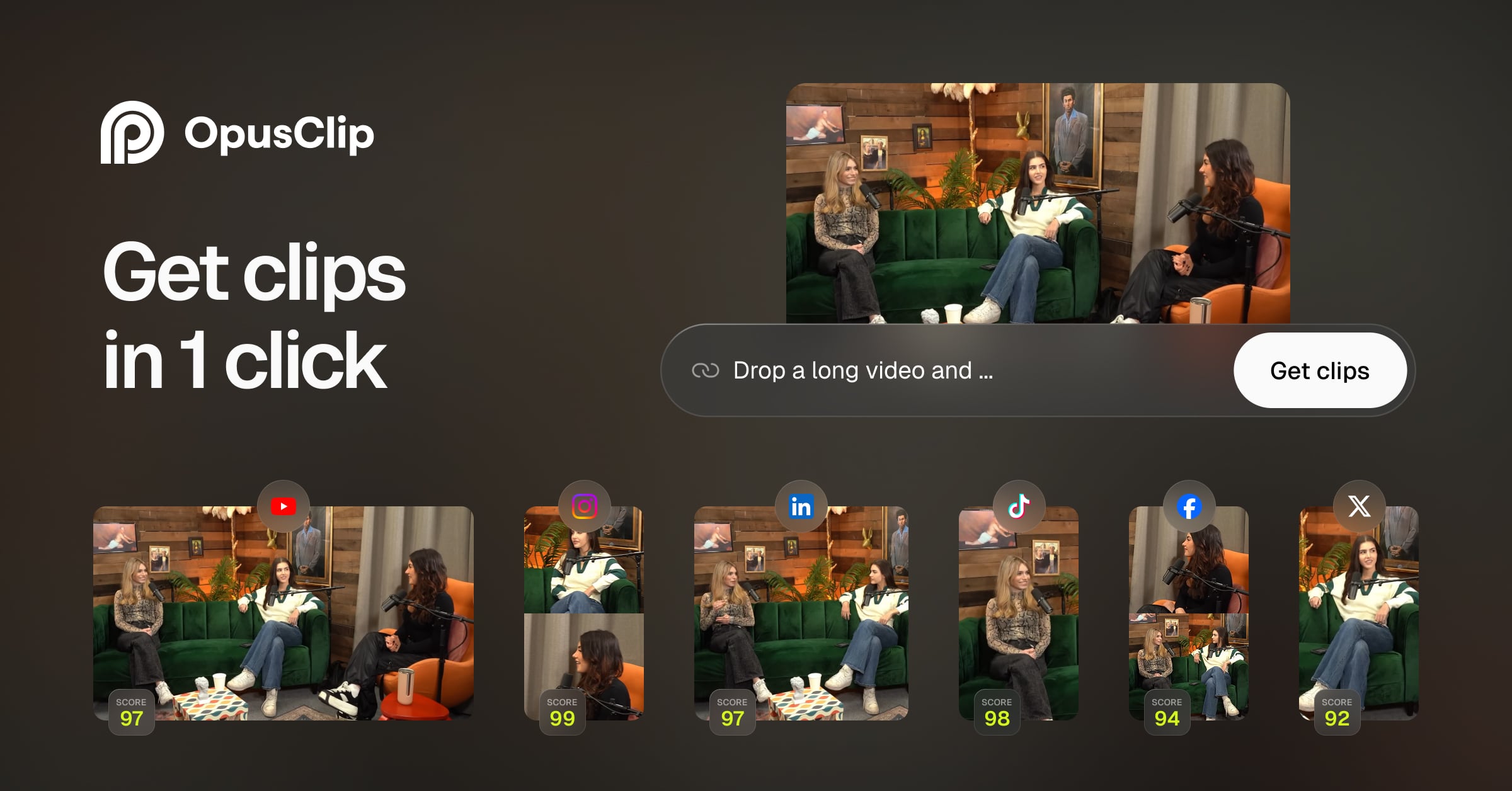
Opus is an AI video editing and clipping tool that turns long footage into short clips for social platforms. You paste a link or upload a file, and it picks out moments worth posting, adds animated captions, resizes the result for each platform and can publish it.
It is aimed at people who publish video regularly but do not edit for a living: creators, podcasters, marketers and agencies. The company says Opus is used by 20M+ creators and businesses. Everything runs in the browser, and the tool covers clipping, an AI editor, b-roll, speech enhancement and dubbing as well as scheduling.
 opus.pro · open full screenshot
- Starts at
- $15 / month
- Free trial
- Yes
- Integrations
- Adobe Premiere Pro, DaVinci Resolve, YouTube, TikTok, IG Reels
- Platforms
- web
- Category
- AI Video Editor
What Opus does
AI clipping with ClipAnything
Finds short clips inside interviews, vlogs, gaming, sports and explainer footage, not only talking-head podcasts. Each clip comes with a Virality Score so you can rank them before posting.
Animated captions
Adds animated captions in 20+ languages, and the browser editor lets you adjust wording and timing afterwards.
AI Reframe
Resizes a video for every platform in one click and uses object tracking to keep moving subjects in frame. Manual tracking is there if you want to tell it exactly what to follow.
AI Producer and AI editor
Turns raw footage into a finished, ready-to-post video, or hands control back to you for manual editing. No editing skills are required to use it.
Extras: b-roll, audio and dubbing
Adds relevant AI b-roll in a click, cleans up speech audio without extra equipment, and dubs a video in your own voice.
Scheduling and exports
Schedules a month of posts to YouTube Shorts, TikTok and IG Reels from inside the tool, or exports XML to finish the cut in Adobe Premiere Pro or DaVinci Resolve.
How to use Opus
- 1Sign up and start the free trial, which does not ask for a credit card.
- 2Paste a video link or upload a file from your computer.
- 3Let the tool cut clips, caption and reframe them, then review the Virality Score and edit in the browser editor.
- 4Download the clips, or schedule them to YouTube Shorts, TikTok and IG Reels.
- 5For frame-level finishing, export XML into Adobe Premiere Pro or DaVinci Resolve.
Popular for
Creators and podcasters
Turn each long episode or recording into a batch of shorts so something goes out between full releases. Captions and reframing are handled, so the work is reviewing clips rather than cutting them.
Marketers and agencies
Brand templates keep fonts, colours, logo and intro/outro consistent across output, and a team workspace lets several people manage projects together.
Livestreamers
Pull highlights out of a stream and post them as shorts to send viewers back to the full livestream.
Advertisers and e-commerce sellers
Produce several short product or ad creatives from existing footage instead of building each one from scratch.
Opus pricing
PaidOpus is a paid tool with a free trial that requires no credit card. The Starter plan for individual creators starts at $15 USD per month, and that price is billed monthly.
Pros
- A free trial with no card needed, so you can test the clipping on your own footage before paying.
- Handles several video genres rather than only podcast-style talking heads.
- Clips can go straight out to social platforms or into a professional editor via XML, so it fits an existing workflow.
- A public API and MCP support let you wire video creation into other tools and agent workflows.
- Team workspace and brand templates make it workable for more than one person or client.
Cons
- Web only, with no desktop or mobile app.
- Link-based importing from services such as YouTube, Google Drive and Zoom is listed as a Pro-plan feature.
- Output is metered in a monthly credit allowance, so how much you can clip depends on your plan.
Opus FAQ
Is Opus free?
There is a free trial and no credit card is required to start it. After the trial, Opus is a paid tool with plans for individuals and for teams.
What is Opus used for?
Cutting long videos into short vertical clips for Reels, TikTok and YouTube Shorts, with captions, reframing and scheduling built in. It also includes an AI editor, b-roll, speech enhancement and dubbing.
Which video sources can I import?
You can upload files directly. Importing by link from services such as YouTube, Google Drive, Vimeo, Zoom, Twitch, Loom and Riverside is listed as a Pro-plan option.
Can I finish clips in Premiere Pro or DaVinci Resolve?
Yes. Opus exports XML that you can open in Adobe Premiere Pro or DaVinci Resolve for further editing.
Does Opus have an API?
Yes, it offers a public video API and an MCP endpoint that AI agent workflows can call.
What languages does Opus support?
Animated captions are available in 20+ languages, and video input is supported in English, German, Spanish, French, Portuguese and a further 20 or so languages.
Alternatives in AI Video Editor

Written from opus.proopus.pro/pricingopus.pro/aboutopus.pro/blog/how-to-make-short-videos-from-youtube-long-videos· reviewed by a person · updated Nov 4, 2026