

Cleanup.pictures is an AI inpainting tool that removes unwanted objects, people, text, logos, date stamps and watermarks from photos and rebuilds the area behind them.
You upload or drag and drop an image, brush over the part you want gone, and the tool fills the gap. The company says its AI can work out what was behind the removed element in a few clicks, where clone-stamp tools need a background reference to copy from. It is aimed at photographers, creative agencies, real estate agents, online stores and developers who need inpainting inside their own products.
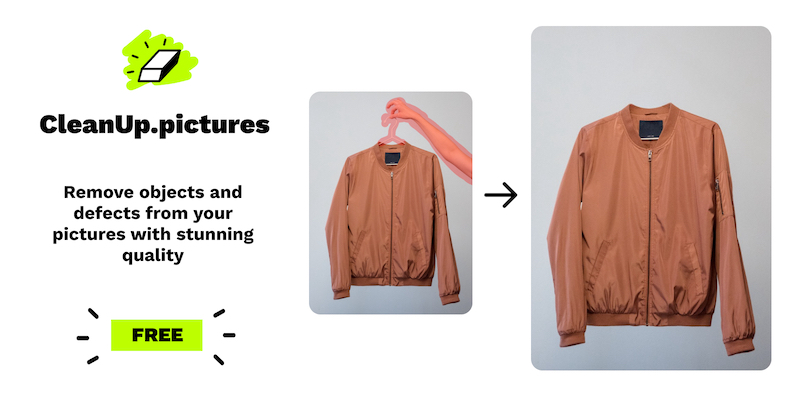 cleanup.pictures · open full screenshot
- Starts at
- $3 / month
- Free plan
- Yes
- Free trial
- Yes
- API
- Yes
- Category
- AI Photo Editor
What Cleanup.pictures does
Object removal by brushing
Mark the object you want removed and the AI reconstructs the background in its place. Unlike a clone stamp tool, it does not need a reference area to copy from.
Text, logo and watermark removal
The tool is built to take out unwanted text, logos, date stamps and watermarks from images, including time stamps on photographs.
High quality refiner on Pro
The Pro plan adds a high quality refiner on top of the standard removal output.
Resolution handling
You can import and edit images of any size. Export is capped at 720px on the free version, while Pro has no size limit on exports.
Inpainting API
A public API lets developers add the same inpainting to their own products, with documentation, a live demo and support for environments such as Node.js, SwiftUI and Kotlin.
Mobile and desktop access
A subscription works on both mobile and desktop, so you can edit from either.
How to use Cleanup.pictures
- 1Open cleanup.pictures and drag and drop an image, or upload one from your device.
- 2Brush over the object, person, text, logo or watermark you want removed.
- 3Let the AI fill in the area behind it.
- 4Check the result and export; the free plan exports up to 720p, Pro exports at full resolution.
Popular for
Photographers
Remove time stamps and tourists from holiday pictures before printing them for customers, clean up portrait photos for profile pictures, and take cracks out of old photographs.
Real estate agents
Depersonalize and clean photos of rooms, flats, houses and apartments by removing unwanted objects from the shots.
E-commerce and creative teams
Upload product photographs to produce clean product shots, remix existing photos by replacing parts with your own, and refresh visuals for social media.
Developers
Call the inpainting API from your own application when you need object removal built into a product.
Cleanup.pictures pricing
Freemium- Cleanup.pictures is freemium.
- The Free plan covers unlimited images with export resolution limited to 720p.
- Pro costs $5 per month, or $36 per year ($3 per month, billed yearly), and adds unlimited resolution and the high quality refiner.
- A free trial lets you test the HD quality before you buy.
- API access is billed separately on a usage-based basis.
Pros
- A free plan with unlimited images, so you can test removal on as many photos as you like before paying.
- No background reference needed: the AI fills in what was behind the removed element.
- A free trial of the HD quality before committing to a subscription.
- One subscription covers both mobile and desktop use.
- A documented API for putting inpainting into your own product.
Cons
- Free exports are limited to 720p, which rules out print-quality work without Pro.
- Each subscription is individual and limited to one user, so there is no shared team plan.
- Refunds are given only in rare cases such as technical difficulties or platform incompatibilities.
- API access is not part of the Pro plan and carries its own usage-based pricing.
Cleanup.pictures FAQ
Is Cleanup.pictures free?
Yes. There is a free plan with unlimited images, but exports are limited to 720p. A free trial also lets you test the HD quality before deciding whether to subscribe.
What is Cleanup.pictures used for?
Removing unwanted objects and people from photos, and taking out text, logos, date stamps and watermarks. It is also used to clean up product shots and real estate photos.
How is it different from a clone stamp tool?
Clone tools need a background reference to copy from. Cleanup.pictures uses AI to guess what was behind the removed text, person or object.
What image resolutions can it handle?
You can import and edit images of any size. Export is limited to 720px on the free version, with no size limit on Pro.
Can I use it on my phone?
Yes. A subscription works on both mobile and desktop.
Can several people share one subscription?
No. Each Cleanup.pictures subscription is individual and limited to one user.
Alternatives in AI Photo Editor


Written from cleanup.pictures· reviewed by a person · updated Nov 3, 2026