

AI3DGen.com is an image-to-3D tool that turns a flat picture into a downloadable 3D model file. You upload a JPG, PNG or WebP and it builds the mesh, and on paid tiers the surface textures, without you modelling anything by hand.
It runs on a tiered set of models: Base for quick drafts, Pro for better lighting and texture detail, and Ultra for intricate, high-detail work. The company says more than 7,700 creators use it, mostly game developers and 3D artists building characters, props and printable parts.
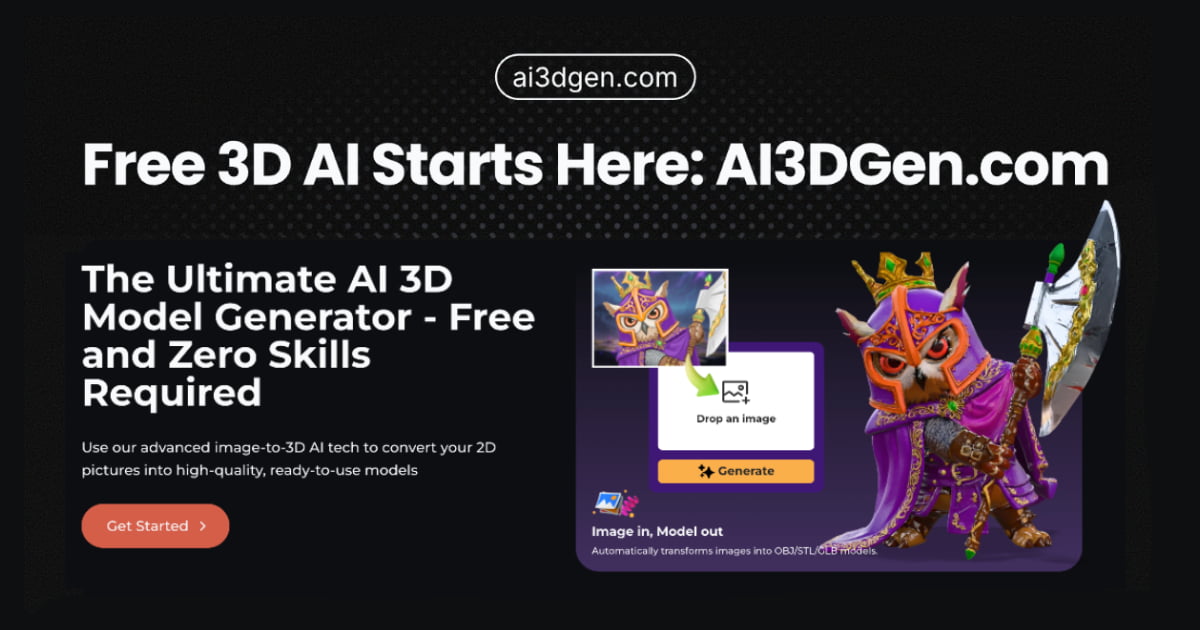 ai3dgen.com · open full screenshot
- Pricing
- Freemium
- Free plan
- Yes
- Free trial
- Yes
- Integrations
- Blender, Unity, Unreal
- Category
- AI 3D Model Generator
What AI3DGen.com does
Image in, model out
Upload a JPG, PNG or WebP and the generator returns a 3D file. Free output is OBJ; paid plans also export GLB and STL.
Three quality tiers
Base produces standard-quality output, Pro improves lighting and textures, and Ultra targets the highest detail for intricate models such as mecha, monsters and architectural scenes.
PBR textures and UV maps
Paid generations add detailed PBR textures and clean UV maps rather than a plain mesh, so models hold up in a renderer.
Face count and settings
A face-count control runs from 5K to 40K. Paid plans also expose custom seeds, steps and polygon count.
Fits existing 3D pipelines
Exported files import into Blender, Unity, Unreal or other tools, so generated assets can go straight into a scene or game project.
Free use without an account
The free generator needs no signup and no credit card; it runs a lightweight model with queueing during peak hours.
How to use AI3DGen.com
- 1Open the free generator on ai3dgen.com; no account or card is required.
- 2Drag and drop a JPG, PNG or WebP image, or click to browse for one. Clear images give better results.
- 3Set the face count between 5K and 40K and choose Base, Pro or Ultra depending on how much detail you need.
- 4Generate the model; free runs queue at peak times, while paid plans use a separate generation lane.
- 5Download the file as OBJ, GLB or STL and import it into Blender, Unity or Unreal.
Popular for
Game character and creature assets
Concept artists and indie developers turn character sketches or reference photos into game-ready meshes instead of blocking them out by hand.
Environment and level prototyping
Level designers generate scene props from images to fill out a layout quickly before final art is made.
3D printing and manufacturing
Hobbyists and makers convert 2D concepts into STL files for printing, and studios use it for mechanical parts and hard-surface pieces.
Portraits and heads
Uploading a portrait photo produces a 3D head model, useful for avatars and character bases.
AI3DGen.com pricing
Freemium- AI3DGen.com is freemium, with a free plan and a free trial, and no credit card is needed to start.
- The free plan runs the Lite model with queueing during peak hours, limited daily generations, OBJ output only, no textures or vertex colour, a fixed low face count and no adjustable settings.
- Paid plans add an exclusive generation lane, unlimited generations, OBJ/GLB/STL export, high-quality PBR textures, access to the Base, Pro and Ultra models, high and flexible face counts, and custom seeds, steps and poly count.
- The site lists cancel-anytime billing and a 7-day money back guarantee; plan prices were not shown on the pricing page in the version reviewed.
Pros
- Free tier needs no account or card, so you can judge the output before paying.
- Exports in OBJ, GLB and STL, which import into Blender, Unity and Unreal.
- Three model tiers let you draft with Base and move to Pro or Ultra for final assets.
- Paid plans allow face counts from 5K to 40K plus custom seeds, steps and poly count.
- Cancel anytime, with a 7-day money back window.
Cons
- Free generations queue during peak hours and are capped by a daily limit.
- Free output is OBJ only, untextured and draft quality, with a fixed low face count.
- The free plan has no adjustable settings.
- Plan prices were not displayed on the pricing page in the version reviewed.
AI3DGen.com FAQ
Is AI3DGen.com free?
Yes. There is a free plan that needs no signup or credit card, but it uses a lightweight model with queueing, limited daily generations and OBJ-only output.
What is AI3DGen.com used for?
Turning 2D images into 3D assets: game characters and creatures, scene props for level design, printable models and hard-surface mechanical parts.
What file formats does it output?
The free plan gives you OBJ files. Paid plans export OBJ, GLB and STL.
Do I need 3D modeling skills to use it?
No. You upload an image and the tool builds the mesh; the site describes it as requiring zero skills.
Can I use the generated models commercially?
The site says upgrading unlocks full commercial rights, and its About page states that generated models come with a commercial license covering uses such as games, NFTs and advertising.
What is the difference between Base, Pro and Ultra?
Base gives standard-quality essential output, Pro improves lighting and textures, and Ultra aims at the highest detail and fidelity for intricate models.
Alternatives in AI 3D Model Generator

Written from ai3dgen.comai3dgen.com/pricingai3dgen.com/about· reviewed by a person · updated Nov 4, 2026